Setup Sublime Text for C++ Competitive Programming
setup sublime text for c++ competitive programming in just 3 steps:
first install sublime Text for Free : Sublime Text Download
Step 1:
Install MinGW Compiler:
MinGW is a native Windows port of the GNU Compiler Collection (GCC), with freely distributable import libraries and header files for building native Windows applications.
- Download the MinGW file from here.
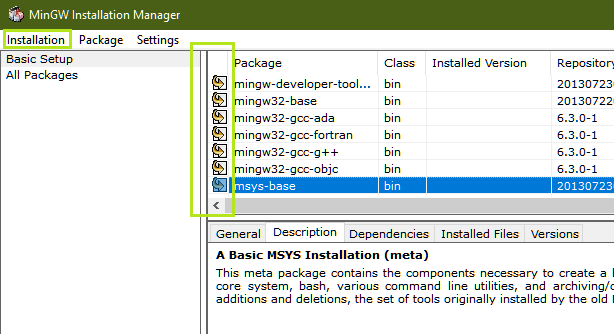
- Install all the Basic Setup of MinGW.
- Mark all the packages for installation.
- Click on the Apply Changes option under the Installation tab as shown below:

Step 2:
Setting up the Environment
After completing the above steps, GCC is up and running. Now, the Environment Variable’s Path is to be updated. Follow the below steps for the same:
- Go to My Computer, then Right Click to get Properties > Advanced System Settings > Environment Variables.
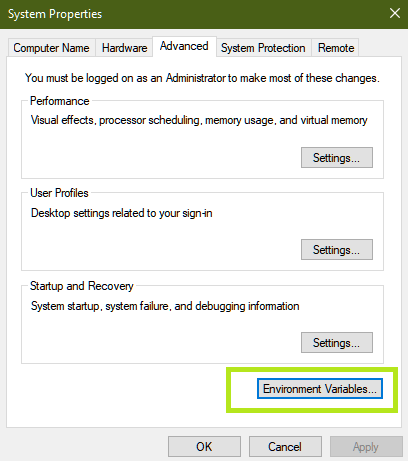
- Now under the System Variables Tab, look for Path > Click on Path > Click on Edit > Click on New.

- Now locate the bin folder inside the MinGW installation folder in the C drive.
- Copy the path of the bin folder. By default, the path is: C:\MinGW\bin
- Paste this new path in the list and click OK.

Now Sublime Text is able to access g++ from its terminal as the path variable has been updated.
Step 3:
Sublime Text [FastOlympicCoding] — tools for competitive programming
Installation :
open sublime
press ctrl + shift + p
type: package control (press enter)
(it will be installed in one or two minute)

press ctrl + shift + p
type : cppFastOlympicCoding (select it and enter)
(it will take 2 or 3 minute to install)
it's done.

Final look of Sublime Text :
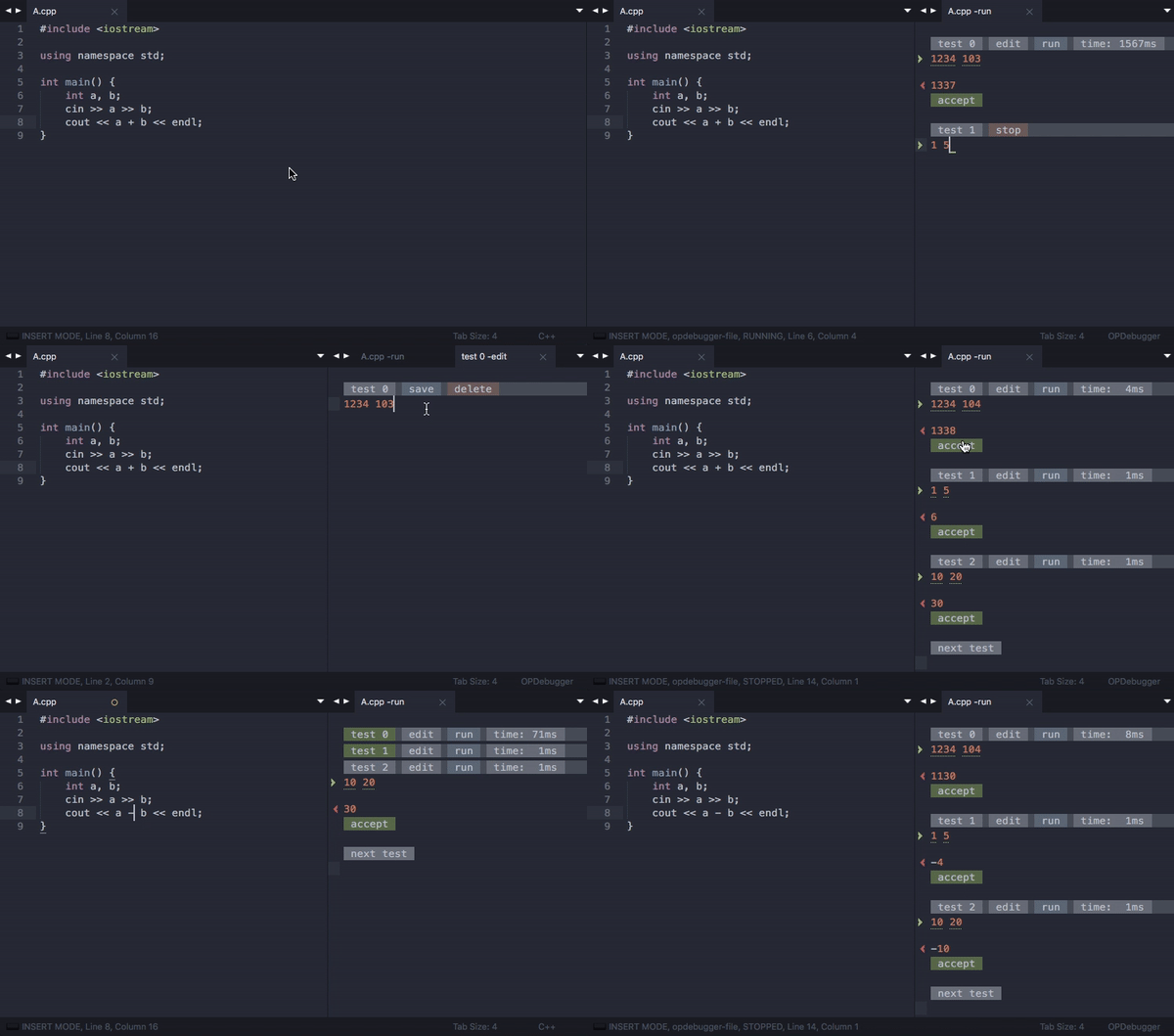
To build and run program Press : ctrl + alt + b
or download direct : Sublime Text [FastOlympicCoding] — tools for competitive programming
Install via package control